A website gives you WebP. You need JPG.
Create a real JPEG for a form, document or app. Renaming .webp to .jpg does not convert the file.
 ImageCaptain
IMAGE CONVERTER · MAC · IPHONE · IPAD
Convert pictures on Mac, iPhone and iPad — in Safari or from your own files. Choose JPEG, PNG, WebP, BMP, TIFF, HEIC or AVIF in the app. Your images stay on your device.
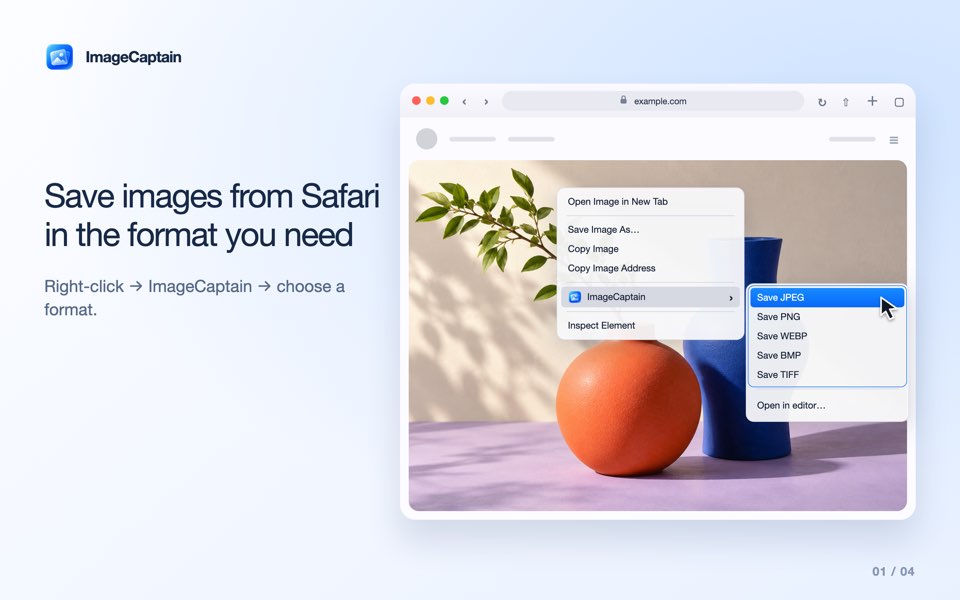
ImageCaptain is an image converter for Mac, iPhone and iPad with a Safari extension. Convert a picture from a webpage, open a local file, use a Finder Quick Action on Mac or send a photo through the Share menu on iPhone and iPad. Conversion runs locally, without uploading images to an online converter.
IMAGECAPTAIN → YOUR FILE
Create a real JPEG for a form, document or app. Renaming .webp to .jpg does not convert the file.
Open a HEIC or HEIF image in ImageCaptain, choose JPEG and save a new copy. Keep the original for later.
Choose PNG, WebP or TIFF for an image with transparency. JPEG, BMP and HEIC use a white background.
MAC · IPHONE · IPAD
Use ImageCaptain outside Safari too. Open one image, select an available format and save a converted copy without replacing the original.
MAC · IPHONE · IPAD
Mac
In Safari on Mac, ImageCaptain adds image-format commands to the picture’s context menu. Save to Downloads or open the image in the editor first.
macOS 13.0+
Apple’s Safari extension guide ↗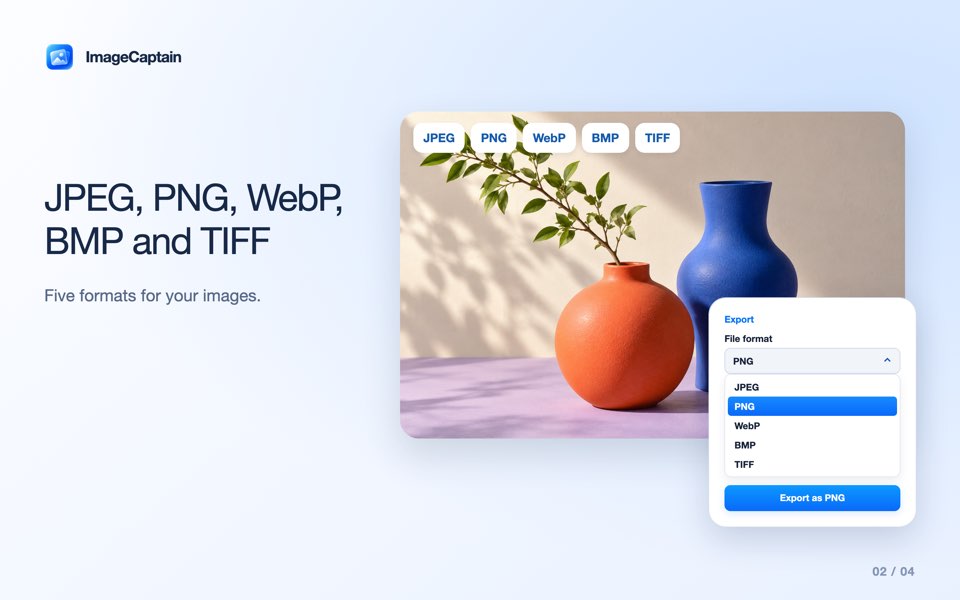
iPhone · iPad
Select a picture on a Safari page, convert it in the editor and save it to the folder you choose.
iOS 16.0+ · iPadOS 16.0+
Apple’s Safari extension guide ↗JPEG · PNG · WEBP · BMP · TIFF · HEIC · AVIF
The app works with JPEG, PNG, WebP, BMP, TIFF, HEIC/HEIF, AVIF and GIF images. JPG and JPEG are two names for the same format.
| Output | Useful for | Transparency |
|---|---|---|
| JPEG / JPG | Photos, forms and widely compatible files | White background |
| PNG | Graphics, screenshots and lossless detail | Preserved |
| WebP | Lossless images for web workflows | Preserved |
| BMP | Software that specifically needs bitmap files | White background |
| TIFF | Image workflows that require TIFF | Preserved |
| HEIC | Photos for apps that accept HEIC | White background |
| AVIF | Image workflows that accept AVIF | Preserved |
Animated inputs export one still frame. Conversion cannot restore missing detail. Original EXIF/GPS metadata is not copied.
WEBP → JPG / PNG
Change the image format, not just its filename. ImageCaptain creates a newly encoded file.
There is no account or conversion-upload service. Local-file conversion does not need Safari website access. Loading a web image may request the original file from its host, without cookies or a referrer; that host receives the request.
Privacy Policy ↗Large local images are resized to the dimensions shown before saving. Originals remain untouched. SVG is not supported, and animated images export one frame. Protected web images may be inaccessible. Convert and reuse only images you have permission to use.
Support ↗FAQ
Yes. Use it in Safari, open an image in the Mac app, choose Open With in Finder or run the ImageCaptain Quick Action.
Open the local HEIC or HEIF image in ImageCaptain, choose JPEG and save a new file. You can start from Finder on Mac or Share in Photos or Files on iPhone and iPad.
Yes. Enable the Safari extension, select a webpage image, convert it in the editor and save through the system file menu.
No. Conversion runs on your device. Selecting a web image can load its original from the website, but it is not uploaded to a conversion server.
The native app accepts TIFF, AVIF and GIF along with its other supported image formats. SVG is not supported. An animated source produces one still frame.
Enable the Mac extension in System Settings, or use More in the iPhone/iPad Share menu. You can also open the image directly in the ImageCaptain app.
Convert Safari images and local files on Mac, iPhone and iPad.
Download · App Store